

Create your account
Sign up at viewupai.com with Google or email. Google sign-in is instant; with email, enter your address and confirm the secure link we send you—no password required.
Real-time AI assistant, instant answer generation, and 100% undetectable interview assistance to help you communicate confidently and land your dream job.
Given an array nums and integer k, return the k most frequent elements.
Count frequencies with Counter, then return the k highest-frequency values via most_common(k).

98%
Accuracy
0.2s
Response Time
50K+
Happy User
4.9/5
User Rating
Register with Google or email, install ViewUpAI, add credits, then start a free trial or go live with AI support.
Sign up at viewupai.com with Google or email. Google sign-in is instant; with email, enter your address and confirm the secure link we send you—no password required.
Get the ViewUpAI desktop app for Mac (Apple Silicon or Intel), Windows, or Linux and run the installer. If Windows or macOS shows a protected warning, open the install guide next to the download buttons. Then sign in with the same account you use on the web.
Choose a plan from Pricing, then checkout with Visa, debit card, or other supported payment methods. Credits are added to your dashboard right away.
Open Call Session in your dashboard. Try a free trial to see how the assistant feels, or start a real session with company, role, and job details filled in.
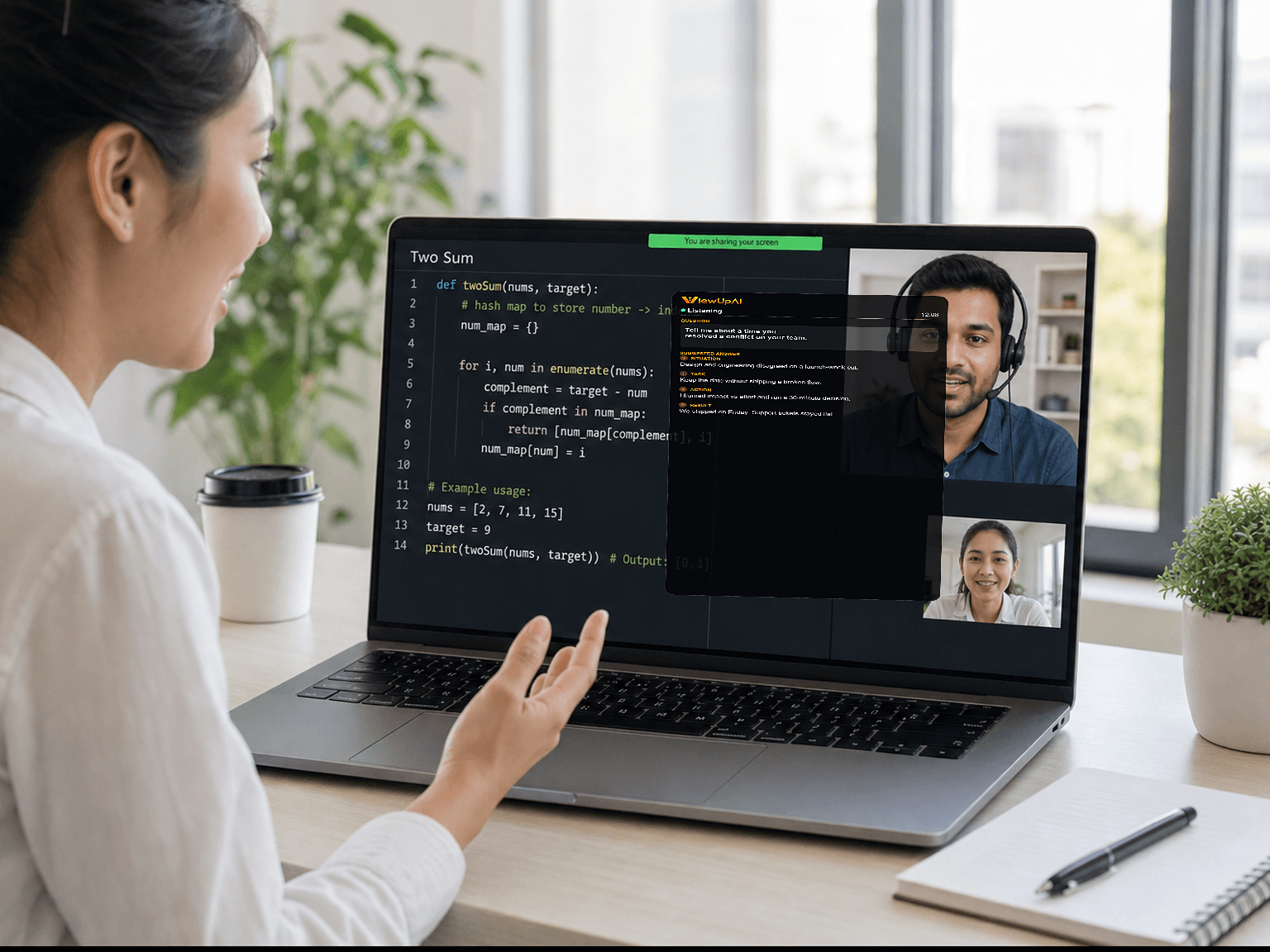
Join your call with ViewUpAI running in the background. Get real-time translation and answer suggestions while you stay natural and focused on the conversation. Stop the session when you wrap up so credit usage stays accurate.
Real-time support on the actual call, instant answers, screen capture, and multilingual coaching — plus a mock interview when you want to rehearse first.
Bring ViewUpAI into the real call. It sits in the background on Zoom, Meet, or Teams so you stay present instead of guessing what to say next.
As the interviewer speaks, ViewUpAI follows the audio and shows live captions — so you catch every question, even on a fast or accented call.
Get talking points and a suggested answer the moment a question lands. Adapt it in your own words so you sound like yourself, not a script.
Capture a coding, design, or take-home prompt. ViewUpAI reads what is on screen and folds it into the answer you need next.
Choose the language for live captions, transcription, and AI answers — English, Vietnamese, Mandarin, Japanese, Korean, and 11 more.
Warm up with an AI interviewer that asks role-specific questions out loud, listens to your spoken answers, then shows coach notes and a sample answer.
ViewUpAI stays off screen share, the Dock, process lists, tab-switch signals, and even the cursor, so the other side of the call never knows it is running.
Share your whole desktop or just one window. ViewUpAI never shows up in what they see.
No icon in the Dock or taskbar, so a glance at your desktop does not give the app away.
Activity Monitor and Task Manager have nothing named ViewUpAI in the list.
Check a note or switch windows and the call still looks like you never left.
Hover or click the overlay and the cursor stays the same as anywhere else on your computer.
Warm up before the real call. ViewUpAI asks like a hiring manager, listens to your spoken answers, then shows coach notes, what you covered, and a sample answer — so you walk in already practiced.
Download ViewUpAI for Mac (Apple Silicon or Intel), Windows, or Linux and bring real-time translation, instant answer suggestions, and invisible assistant support into your live interview calls — with native performance and a stable internet connection.
Having trouble installing ViewUpAI?
Windows or macOS may display a security warning when you open the installer. Follow the guide for your device to complete the installation.
Live assistant help on the actual call, and AI mock interviews before you walk in.
“On my interview loop the live assistant followed the call, showed captions, and suggested answers before I blanked. I stayed in the conversation instead of guessing.”
“I ran the live assistant on my actual video interview. It caught the interviewer and surfaced talking points in time for me to say them in my own words.”
“Mock behavioral rounds taught me STAR. After each spoken answer I got coach notes and a sample reply, so I knew exactly what I had skipped.”
“Mock sessions felt like a real panel. The AI interviewer asked follow-ups out loud, then showed what I covered and a model answer to compare.”
“After every mock question I saw missed points and a sample answer. I knew what to drill before the next round instead of guessing where I was weak.”
“During the onsite, live answer suggestions landed as soon as the question did. I adapted them so I still sounded like myself, not a script.”
“The desktop app stayed in the background through a long panel interview. Real-time captions meant I never lost a fast or accented question.”
“Technical and system-design mocks were tough in the best way. I rehearsed out loud, then walked into the final feeling prepared, not panicked.”
“I needed discreet help on the real call while switching jobs. ViewUpAI sat in the background, suggested answers, and stayed out of the way.”
Buy credits when you need them, use them at your own pace, and stay ready for your next interview. 1 credit equals 1 minute of live help, and there is no monthly subscription.
2 × 10 min / day
Try live interview help before you buy — 2 sessions a day, 10 minutes each.
180 credits
A solid starting pack for one or two upcoming interviews.
290 credits+70 free
Enough runway for a full interview loop — screen, technical, and final round.
590 credits+130 free
Best for an active job search with several rounds in parallel.
A dedicated rehearsal plan. Buy hours to practice with an AI interviewer and walk into the real call already warmed up.
6 hours of practice
Six hours with an AI interviewer — rehearse out loud and review every answer.
ViewUpAI has two products: a live interview assistant (per-minute credits) and AI mock interviews (practice time). Here is how credits, plans, and both products work.